Back to website
Login
Home
Login
Register
Back to website
There was a problem loading the comments.
How to access the WordPress admin account?
Support Portal
»
Knowledgebase
» Viewing Article
Print
20/06/2019 7:14 PM
WordPress
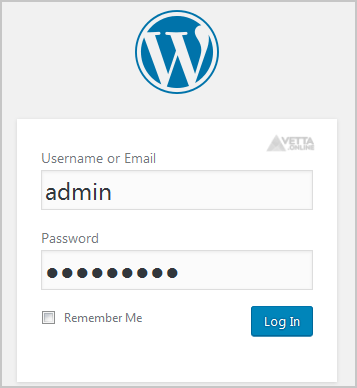
WordPress is a CMS software with an easy to access admin account and a simple to manage blog system. In order to access your WordPress account, you need to follow these instructions:
1.
Open
http://example.com/wp-admin
(Replace
example.com
with your domain name) in your browser.
2.
Enter your WordPress username and password in the login fields an click on
Login
.
3.
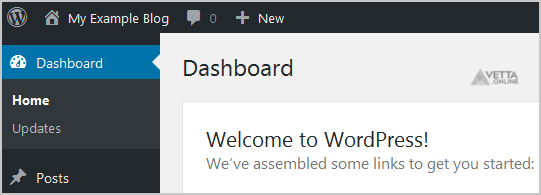
Wordpress will redirect you to the WordPress Admin Dashboard.
Share via
Did you find this article useful?
Related Articles
How to Install Wordpress via Softaculous in cPanel?
How to Install Wordpress via Softaculous in SiteWorx?
How to Enable or Disable Mod Security in cPanel?
Categories
4
Backup/Restore
24
cPanel - Control Panel
11
Databases
6
DNS - Nameservers
10
Domain Management
11
Email
6
— Mozilla Thunderbird
9
FTP
5
— FileZilla Client
6
Installing a Control Panel
8
Mail Filters & SPAM
11
Mobile
7
— Android
4
— iOS/Apple
3
Others
10
Security
61
SiteWorx (Control Panel)
2
— Backup/Restore
4
— Domain Management
6
— Email (SiteWorx)
3
— FTP
3
— Others (SiteWorx)
4
— Security (SiteWorx)
8
— SiteWorx Basic
31
— Softaculous (SiteWorx)
14
—— Blog
2
—— CMS/Portal
13
—— Forum
76
Softaculous
16
— Blog
43
— CMS/Portal
15
— Forum
19
SolusVM
6
— SolusVM Basic
13
— SolusVM VPS Management
5
SSL (cPanel)
17
WordPress
38
DirectAdmin
4
— Backup/Restore
8
— Databases (DA)
8
— Domain Management (DA)
6
— Email (DA)
4
— FTP
7
— Mail Filters & SPAM
18
WHM
12
— WHM (For Resellers)
5
— WHM (Root)
© Vetta Group