Back to website
Login
Home
Login
Register
Back to website
There was a problem loading the comments.
How to Change the VNC Password in SolusVM?
Support Portal
»
Knowledgebase
» Viewing Article
Print
20/06/2019 6:51 PM
SolusVM VPS Management
You can change the VNC password using SolusVM.
1.
Login to your SolusVM Control Panel.
2.
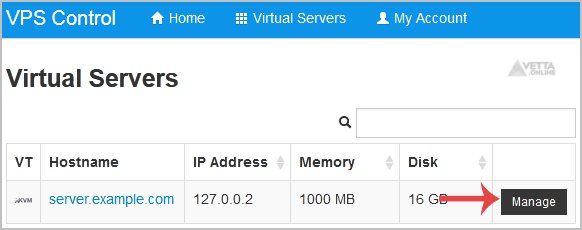
If you have multiple VPS, select the appropriate one.
3
. Scroll down, and under the
VNC Password
tab, enter your new password in the VNC text box. Then click on
Change
.
4.
It will prompt for confirmation. Click
Yes
and then reboot your VPS.
Share via
Did you find this article useful?
Related Articles
How to Manually Install/Reinstall an OS, Using SolusVM for Customized Installation?
How to Turn APIC, ACPI, VNC, or PAE On or Off in SolusVM?
How to change the login theme of cPanel/WHM/Webmail from WHM Root?
Categories
4
Backup/Restore
6
DNS - Nameservers
11
Databases
38
DirectAdmin
4
— Backup/Restore
8
— Databases (DA)
8
— Domain Management (DA)
6
— Email (DA)
4
— FTP
7
— Mail Filters & SPAM
10
Domain Management
11
Email
6
— Mozilla Thunderbird
9
FTP
5
— FileZilla Client
6
Installing a Control Panel
8
Mail Filters & SPAM
11
Mobile
7
— Android
4
— iOS/Apple
3
Others
5
SSL (cPanel)
10
Security
61
SiteWorx (Control Panel)
2
— Backup/Restore
4
— Domain Management
6
— Email (SiteWorx)
3
— FTP
3
— Others (SiteWorx)
4
— Security (SiteWorx)
8
— SiteWorx Basic
31
— Softaculous (SiteWorx)
14
—— Blog
2
—— CMS/Portal
13
—— Forum
76
Softaculous
16
— Blog
43
— CMS/Portal
15
— Forum
19
SolusVM
6
— SolusVM Basic
13
— SolusVM VPS Management
18
WHM
12
— WHM (For Resellers)
5
— WHM (Root)
17
WordPress
24
cPanel - Control Panel
© Vetta Group